Why I Built Zaati OS
I use AI every day, but most of the useful information in my life is still spread across different places.
My calendar knows what I have planned. Gmail knows which emails need a reply. Jira knows what I am working on. My financial apps know where my money is going. Then there are news, reminders, goals, habits, and all the small things I want to keep track of.
The information is already there. The problem is that I have to open everything separately, understand what changed, and decide what deserves my attention.
I wanted one place that could answer a few simple questions every morning:
- What needs my attention today?
- What changed since yesterday?
- Am I moving towards my goals?
- Is there something important I am forgetting?
- Where are my time, money, and attention going?
That idea became Zaati OS .
“Zaati” means personal in Urdu, which fits the project well. It is an operating system for your own life, built around the AI tools you already use.
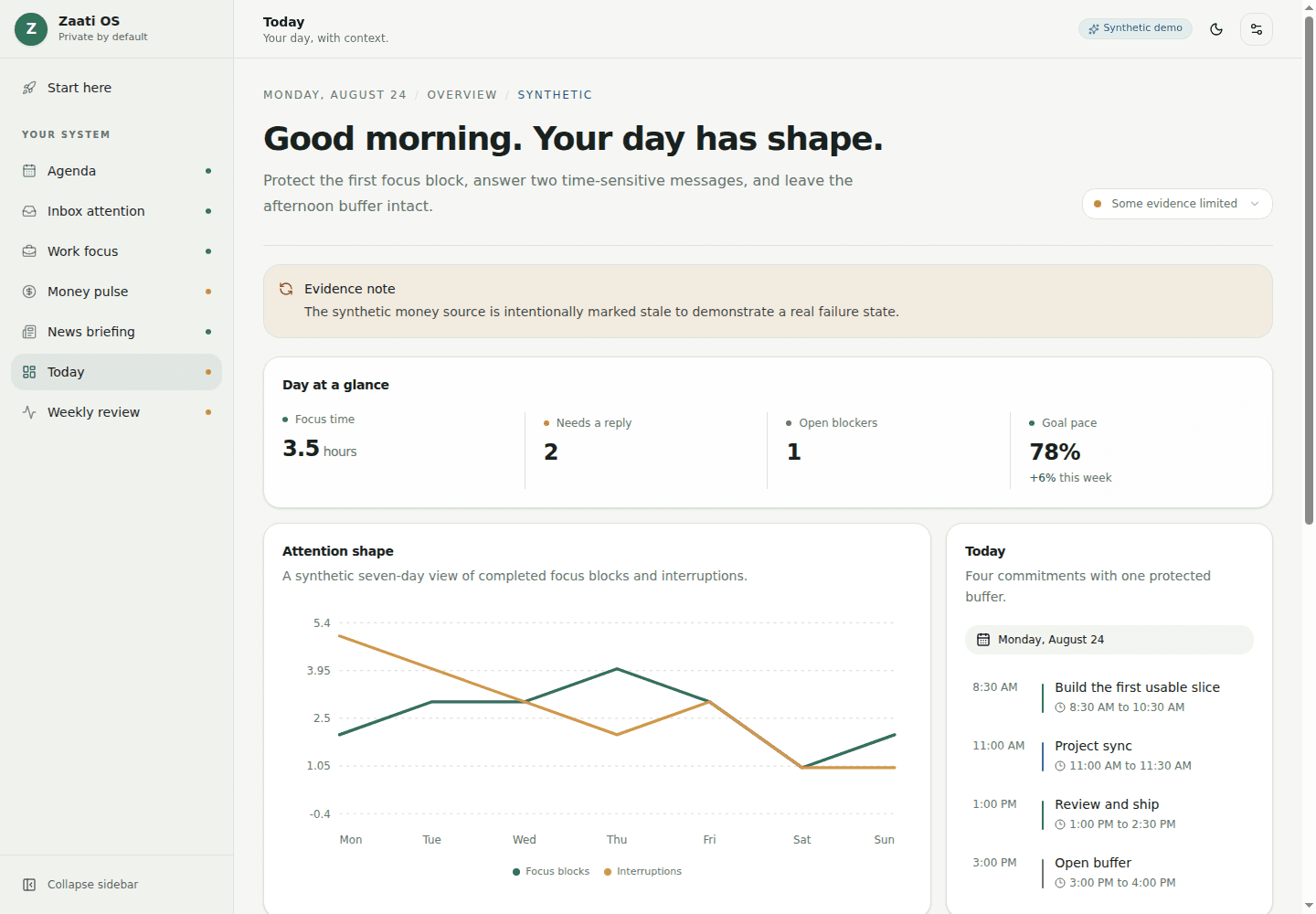
The screenshots in this post use synthetic data.
What Zaati OS does
Zaati OS is an open-source dashboard that gives your AI a useful place to put the information it collects.
For example, a scheduled task in ChatGPT could check your calendar and prepare today’s agenda. Another could find emails that actually need a reply. It could also collect your work priorities, investment updates, useful news, habits, or goals.
Zaati OS takes those results and displays them together.
The default project includes examples for:
- calendar and daily agenda
- important emails
- work priorities and blockers
- finances and markets
- personalized news
- habits and goals
- daily overviews
- weekly reviews
You do not have to use all of them. I think the best way to start is with three sources that are already useful to you. Calendar, inbox, and work tasks are a good example.
The goal is not to create a dashboard full of random graphs. Every section should help you notice something, make a decision, or take an action.
How it works
The basic flow is simple:
- A scheduled AI task reads the sources you allow.
- It saves the useful information in a small dated file.
- Zaati OS checks that the file has the expected information.
- The dashboard displays it using lists, calendars, numbers, tables, or charts.
- Daily and weekly reviews can compare it with older files.
You can think of each dated file as one page in a diary. The dashboard reads the latest pages and gives you a useful view of what is happening.
The files are ordinary JSON, so you can inspect them, move them, keep their history, or generate them with something other than ChatGPT. Claude, Gemini, a local model, n8n, cron jobs, and custom scripts can all use the same format.
This also means the project is not tied to one AI provider. If you change your AI tool later, you do not have to rebuild the dashboard or throw away its history.
Getting started
You need Git , Node.js 22 or newer , and a GitHub account.
1. Fork the repository
Open github.com/mohsinht/zaati-os and click Fork. This creates your own copy of the project.
2. Run the project
Open Terminal on macOS or Linux, or PowerShell on Windows, and run:
git clone https://github.com/YOUR_GITHUB_USERNAME/zaati-os.git
cd zaati-os
npm install
npm run setup
npm run tutorial
Replace YOUR_GITHUB_USERNAME with your GitHub username.
The setup asks for a few basic preferences. The tutorial then creates synthetic data and opens the dashboard locally. It also sends one invalid result on purpose, shows how Zaati OS catches it, retries, and saves the corrected result.
This lets you test the complete flow without connecting an account or adding a key.
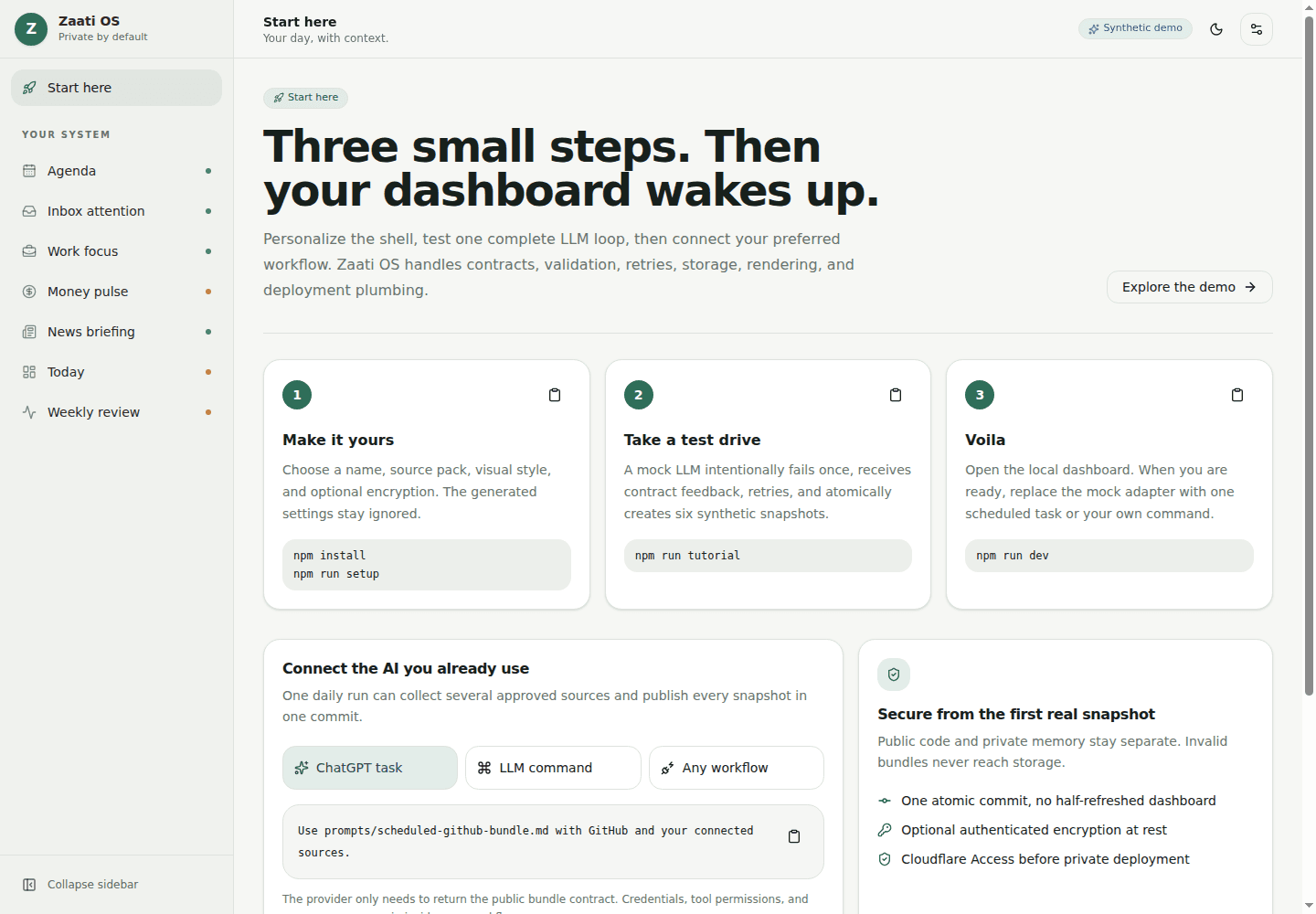
If you use Make, you can run:
make setup
make tutorial
3. Explore the dashboard
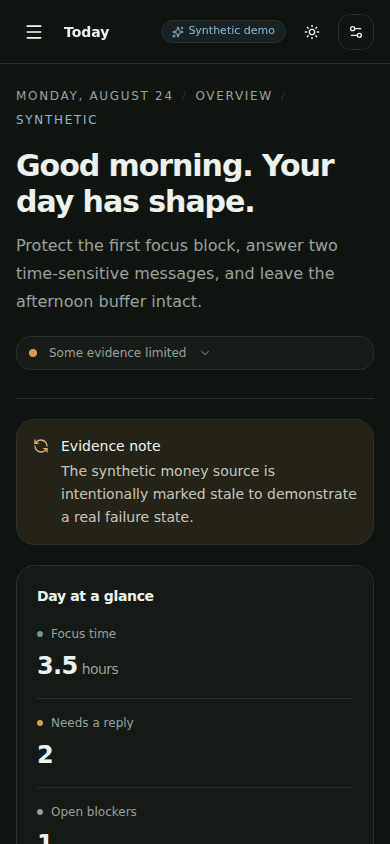
Once it opens, try the different sections, switch between light and dark mode, and make the window smaller to see the mobile layout.
Every section shows when its information was generated. If a source is old, missing, or failed, the dashboard says so instead of quietly showing misleading information.
Connecting your own information
After the tutorial works, connect one real source.
Zaati OS includes prompts for the common workflows. You can copy a prompt into your AI tool, give it access only to the source it needs, and schedule it to run every day.
One scheduled task can also update several sections together. For example, one morning task could collect:
- today’s agenda
- emails needing attention
- current work priorities
- a short news briefing
- the combined daily overview
The output can be saved in a private repository as one commit. Zaati OS validates everything before it writes any of the files. If one part is wrong, it rejects the complete update and asks the AI to try again.
For me, this is much more useful than having separate AI chats that disappear into history. The dashboard becomes a consistent place to start the day, while the older files make weekly and monthly reviews possible.
Keeping it private
I did not want to build another service where users send all their personal information to a central account.
Zaati OS does not have a central database, hosted account, or required analytics. The upstream repository contains the application and synthetic examples. Your real data should remain in storage you control, preferably a separate private repository.
The deployed dashboard must also be private. An obscure URL is not protection. The recommended setup uses Cloudflare Access so the dashboard requires authentication before it serves any personal information.
Optional encryption is available for the stored files. It protects them at rest, but it does not replace proper access control because the dashboard still needs to decrypt information before displaying it.
Before connecting real sources, read the privacy guide . Also remember that the AI provider and connected services you choose may process information under their own policies.
Zaati OS itself has no platform fee. Depending on your setup, your AI provider, connectors, storage, or hosting may still have their own charges.
Making it personal
The default dashboard is only a starting point.
Someone could add pages for travel planning, fitness, reading, cricket, home energy use, job applications, or anything else they regularly want to review.
A new section can define where its information comes from, how often it should update, how it should be displayed, and what should happen when the information is unavailable.
The design can also be changed without rewriting the application. Colors, fonts, spacing, headings, and other theme settings are configurable.
My long-term idea is for people to share useful source packs, prompts, schemas, and dashboard sections using completely synthetic examples. You should be able to add a capability without giving its author access to your information.
Final thoughts
AI assistants are becoming capable of reading and understanding more parts of our daily lives, but their output is often temporary and scattered across chats.
Zaati OS gives that work a structure. The AI collects and reasons, the files keep the history, and the dashboard gives you one place to understand it.
In my opinion, the useful future of personal AI is not another application asking for attention. It should quietly prepare the information you need and let you stay in control of it.
Zaati OS is still early, but the complete loop already works. You can fork it, run the tutorial, connect one source, and gradually turn it into something that is genuinely yours.